Subject Leader - Mr T Crow

What do we want our pupils to learn?
Our pupils learn the foundations of computing through practical, hands-on activities. By the end of Key Stage 1, pupils should:
1. Understand What Computers Are and How They Work
-
Recognise different types of technology at school and at home.
-
Understand that computers follow instructions and process information.
2. Develop Basic Programming Skills
-
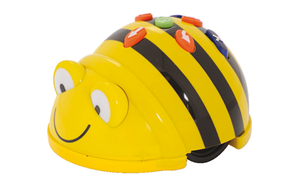
Use simple block-based coding tools (e.g., Bee-Bots, ScratchJr).
-
Create short sequences of instructions (algorithms).
-
Debug simple mistakes when programs don’t work as expected.
3. Learn About Data and Information
-
Collect, sort and group information (e.g., colours, shapes, animals).
-
Use digital tools to record and present data in simple formats.
4. Improve Digital Literacy and Creative Skills
-
Use devices such as tablets or laptops safely and confidently.
-
Create digital content like drawings, photos, sounds or short animations.
-
Begin to use basic editing tools.
5. Build Safe and Responsible Online Behaviour
-
Understand how to stay safe when using digital devices.
-
Know what to do if something online makes them uncomfortable.
-
Learn about keeping personal information private.
What we are teaching...
Year 1
Technology Around Us
Children explore what technology is, where we find it, and how computers help us. They learn how to use a computer safely and begin using a mouse and keyboard.
Digital Painting
Pupils use simple digital painting tools to create pictures. They learn how digital art can be different from traditional art and experiment with colours and brushes.
Moving a Robot
Children learn basic programming ideas by giving instructions to a floor robot or on-screen character. They write simple sequences to make it move.
Grouping Data
Pupils learn to sort and group objects or images based on properties. They begin to understand that computers store and organise data in similar ways.
Digital Writing
Children use a keyboard to type words and sentences. They practise editing text and learn the differences between typing and handwriting.
Programming Animations
Pupils create short animations using simple coding blocks. They learn to control movement, sequencing, and characters on screen.
Year 2
Information Technology Around Us
This unit helps pupils recognise various examples of information technology (IT) and understand how IT is used responsibly to improve everyday life, both at school and beyond. They learn to identify devices and describe how technology supports different tasks safely and purposefully.
Digital Photography
In this unit, children explore digital photography by using devices to capture images and then editing those photographs for specific purposes. They learn how to frame and improve photos, choose suitable shots and apply simple editing tools to change images effectively.
Robot Algorithms
Here pupils build on early programming skills by creating and debugging sequences of instructions for devices such as floor robots. They design simple algorithms, test them, and use logical reasoning to predict outcomes, concentrating on the order and clarity of instructions.
Pictograms
This unit introduces children to the idea of collecting, organising and presenting data. Pupils use tally charts and attributes to sort data and represent it as pictograms on a computer, helping them see how digital tools can display information clearly.
Digital Music
Students explore digital music by investigating rhythms and patterns and how music can be created on a computer. They listen to examples, recognise patterns, and then use digital tools to compose original musical pieces for a purpose.
Programming Quizzes
In this unit pupils design and build interactive quizzes using events to trigger sequences of code. They plan algorithms for quiz logic, write simple programs, and test and refine their code, reinforcing programming concepts introduced earlier in the year.